
Hear the voice clearly, with the background noise gone
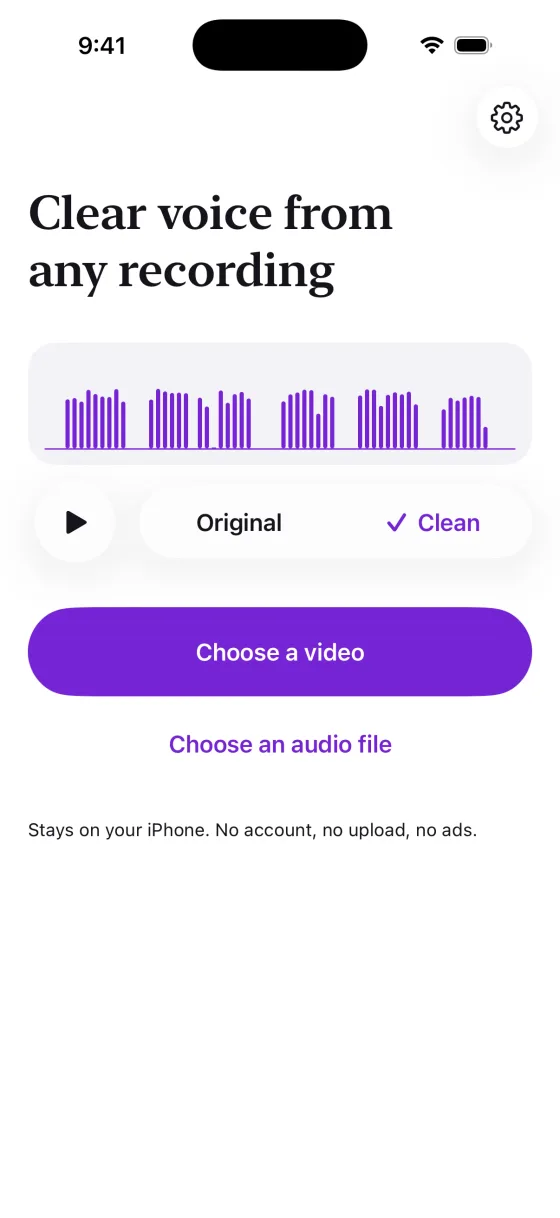
Remove traffic, wind and room noise from any video or voice memo on your iPhone. Hear the clean version first, then save a new copy to share.
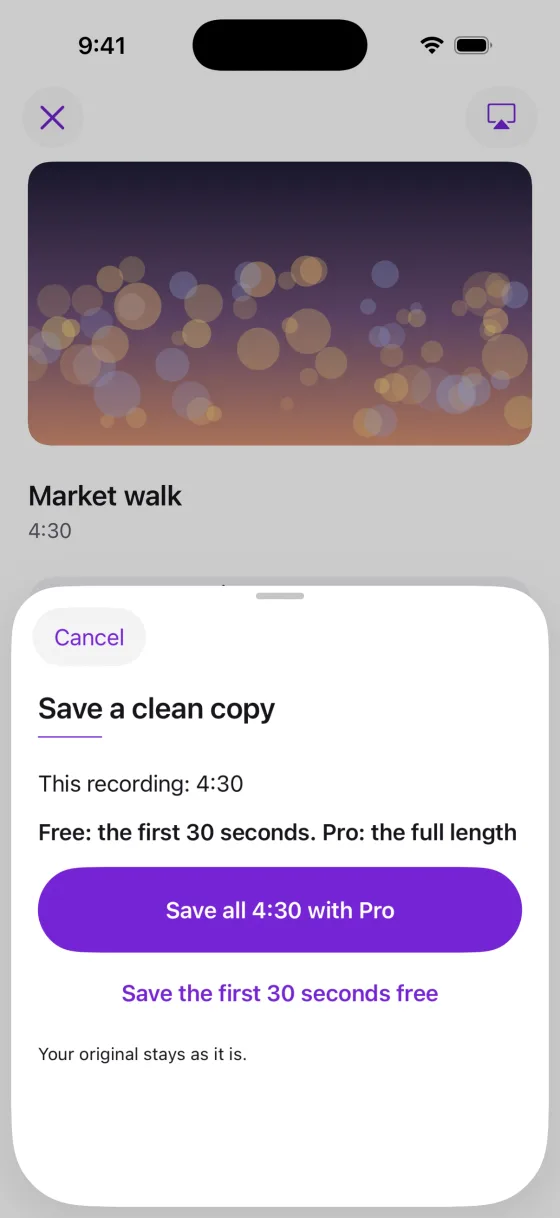
Preview free at any length. The first 30 seconds of every copy are free, with no watermark.
Pro saves the full length for $5.99 a month or $17.99 once
What you get
Hear the voice, not the street
Traffic, wind, fans, crowds and room noise drop away and the speech stays. Made for talking videos, lectures, interviews, calls and voice notes.
Hear it before you pay
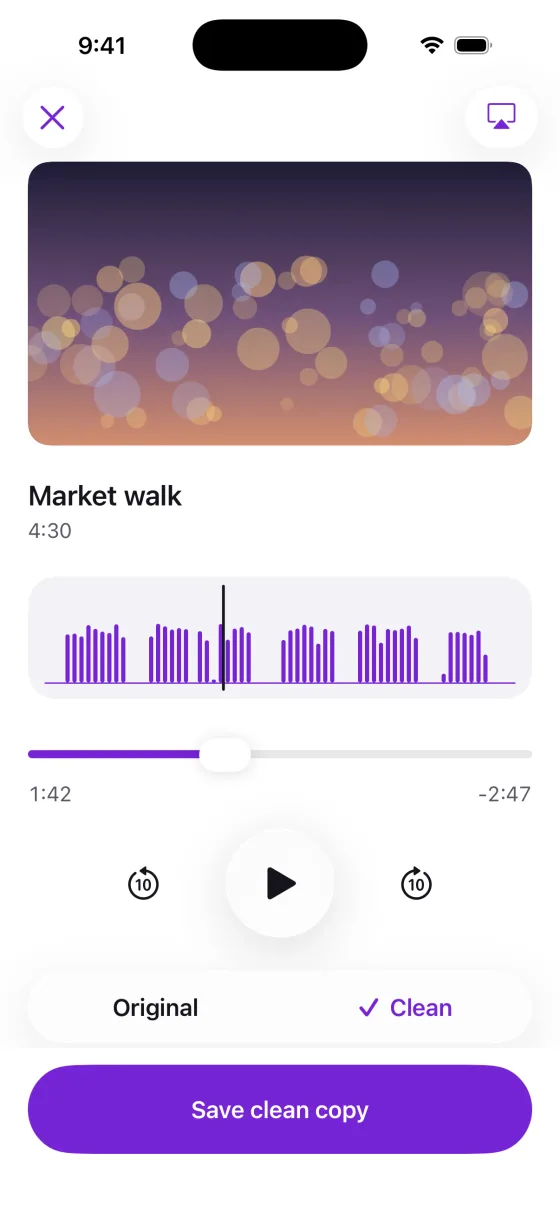
Play the whole recording clean, as often as you like, and switch between Original and Clean to hear the difference. Previews are free at any length.
Fix recordings you already have
Videos from your library, screen recordings and audio files from other apps, including m4a, mp3, wav and voice memos. No new recording needed, and no special iPhone.
The picture stays as it was
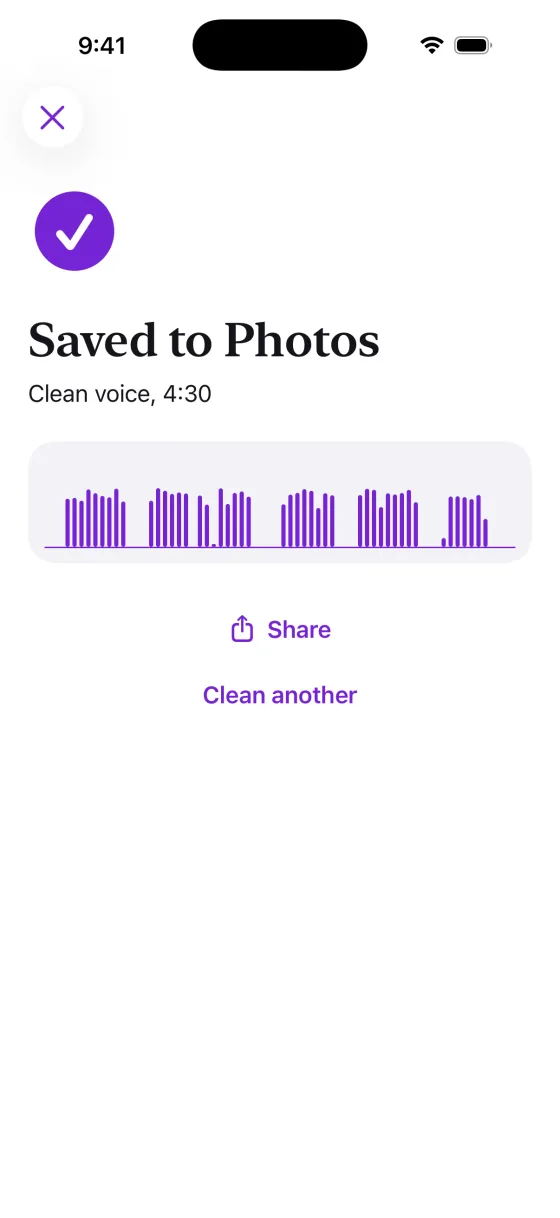
Only the sound is replaced. A video keeps its original picture quality, and the clean copy goes to Photos next to the original.
Your original stays as it is
Every save is a new copy. Videos go to Photos and audio files go wherever you choose in Files, ready to share.
Stays on your iPhone
The noise is removed on the iPhone itself. No account, no upload and no ads.
It is a voice cleaner: it keeps speech and removes everything else, music included, so it is not for cleaning up songs. Details on data are in the privacy policy.
How it works
Choose a recording
Pick a video from your library, or an audio file or voice memo from Files.
Listen to it clean
The app removes the noise on your iPhone, then plays the result. Switch between Original and Clean to compare.
Save a clean copy
Save it to Photos or Files and share it. The first 30 seconds are free; Pro saves the full length.
Price
Free
$0
Preview any recording at full length, and save the first 30 seconds of every clean copy, with no watermark and no limit on saves.
Pro Monthly
$5.99a month
Save the full length of any recording. Renews automatically unless cancelled.
Pro Lifetime
$17.99once
Save the full length of any recording, paid once. Never renews.
Requires iPhone with iOS 26 or later. English.
Questions and answers
What is Noise Remover & Voice Cleaner?
Noise Remover & Voice Cleaner is an iPhone app that removes background noise from videos, voice memos and audio files you already have. It keeps the voice, removes traffic, wind, fans, crowds and room noise, and saves a clean copy while your original stays as it is. Everything runs on your iPhone. It is made by Winton Gee, an independent developer.
How much does it cost?
Previews are free at any length, and the first 30 seconds of every save are free, with no watermark and no limit on saves. Pro saves the full length for $5.99 a month or $17.99 once. Prices vary by country. There is no free trial; the free version is the way to try it.
What noise does it remove?
Anything that is not speech: traffic, wind, fans, air conditioning, crowds, chatter in the background and room noise. It works best on recordings of people talking, such as vlogs, lectures, interviews, calls and voice notes.
Does it remove music too?
Yes. It keeps the voice and removes everything else, and that includes music and singing. Use it on speech, not to clean up songs or videos where the music matters. The free preview lets you hear the result before you save anything.
Do I need an iPhone 16 or a special recording mode?
No. It works on any iPhone that runs iOS 26, with any video in your library and any audio file it can read: m4a, mp3, wav, aac, caf, aiff and voice memos, including layered ones. Apple's own Audio Mix in Photos works only on Spatial Audio videos recorded on iPhone 16 or later; see how to remove background noise from a video on iPhone.
Does the video lose quality?
No. Only the sound is replaced. The picture is passed through as it was recorded, and the clean copy is saved to Photos as a new video next to the original.
Are my recordings uploaded?
No. The noise is removed on your iPhone. There is no account, no upload and no server of ours, and the app cannot see the rest of your photo library. Details are in the privacy policy.
More questions? Visit support or email [email protected].
Guides
Plain, sourced help with removing background noise, wind and hiss from videos and voice memos on iPhone.
- How to remove background noise from a video on iPhoneWhich videos Photos can clean with Audio Mix, and what to do with every other video.
- How to remove wind noise from a video on iPhoneWhat the Camera does about wind while you record, and how to clean it from a video you already have.
- How to clean up voice memo audio on iPhoneEnhance Recording, Voice Isolation, and how to get a clean copy of a voice memo you can send.
Hear your recording clean
Noise Remover & Voice Cleaner is not on the App Store yet. This page will link to it as soon as it is.
Coming soon to the App Store